
Today Weather:Data by NOAA/NWS
todayweather.coWeather
4.67.35K Reviews
- Version
- Varies With Device
- Installs
- 1.00M
- Age Rating
- Everyone
Screenshots
Our Review of Today Weather:Data by NOAA/NWS
 Analysis by Appyee
My most useful habit with a weather app is checking not just what the sky is doing now, but when it is likely to change. That is where Today Weather: Data by NOAA/NWS earns its place on my phone: its forecasts and alerts are easier to act on when I use them to plan a particular outing, rather than treating the opening screen as a verdict on the whole day.
What a forecast is good for
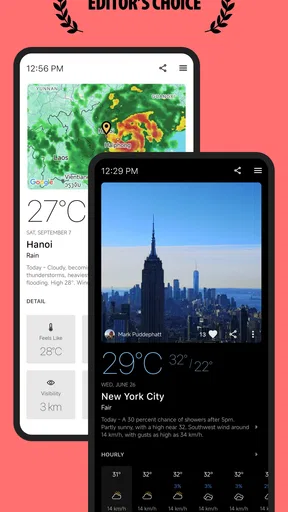
Today Weather is a free weather app from todayweather.co. It is rated for Everyone, has more than a million installs, and holds an average rating of 4.6 from around 102,000 ratings. Optional in-app purchases range from $0.99 to $18.99 per item. Those figures tell me it has a substantial audience, but the practical question is whether its information helps with everyday decisions. For me, the strongest case is having a quick overview, a more detailed hourly forecast, and weather warnings in one place.
The NOAA/NWS connection is a useful point of distinction, but I would not treat any forecast source as a promise that conditions will unfold exactly as predicted. Weather changes, and local conditions can differ from a broad forecast. I use the hourly view to judge timing and the warning information to decide when a plan deserves extra caution; I do not rely on a single glance to settle a safety-critical decision.
Making the hourly view useful
In practice, the hourly forecast is more valuable when I check it against a real schedule. If I need to walk somewhere later, I look for whether the expected conditions change around that window, then decide whether to leave earlier, bring a layer, or choose another plan. That is more useful than seeing a rain icon for the day and assuming it will rain continuously.
A good routine is to check once when making the plan and again before heading out if the weather matters. The first look helps me choose a sensible option; the second catches a change that could affect the trip. For a short errand, the current conditions may be enough. For an outdoor event, I pay more attention to the forecast over the hours I will actually be outside.
A realistic day with the app
Imagine I have a morning commute and an outdoor appointment later. I can use the daily summary to get the broad picture, then check the hourly details before deciding what to wear or whether to carry an umbrella. If a warning appears, I can reconsider the timing instead of discovering the problem on the way. The point is not that the app makes the choice for me; it gives me a clearer basis for making it.
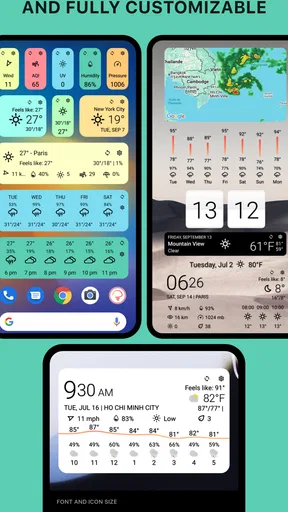
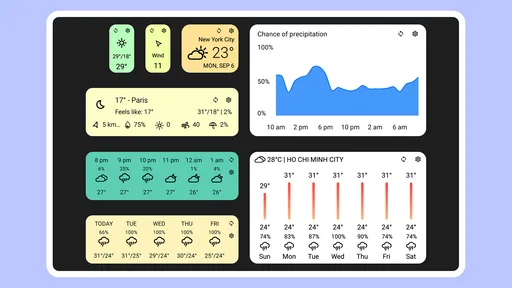
Widgets can make that check more convenient because a glance at the home screen may be enough to decide whether I need to open the full app. I would keep a widget focused on the information I actually use, rather than filling the screen with every available detail. That small bit of restraint makes a weather display easier to scan while I am getting ready.
First Impressions
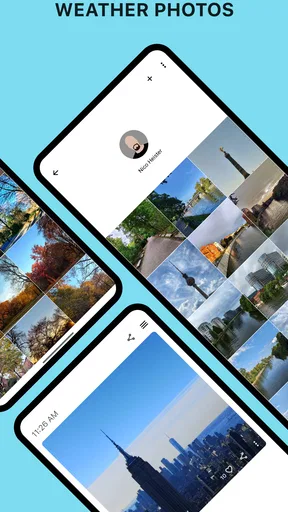
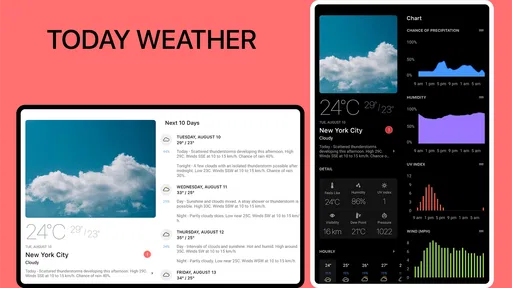
Upon opening Today Weather, I was immediately struck by its sleek and user-friendly interface. It’s like the app designers knew exactly what I wanted — a clean, easy-to-navigate setup without all the clutter. The homepage greets you with the essential info: current temperature, weather conditions, and a neat little summary of what to expect for the day. And for those who love visuals, the background image changes to match the current weather, which is a delightful touch.
Features That Stand Out
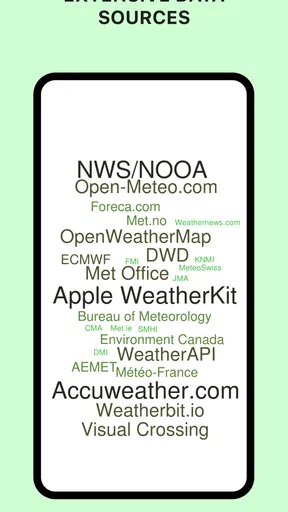
Let’s dive into the features that make this app a must-have. First up, the data source. This app pulls its information straight from NOAA/NWS, which means you’re getting reliable and accurate weather updates. No more second-guessing whether you need that extra layer or if you should leave the windows down in your car.
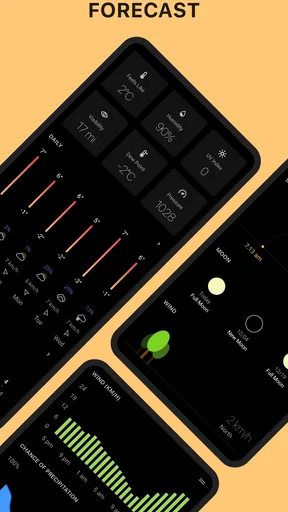
One of my favorite features is the detailed hourly forecast. It’s perfect for planning your day down to the hour. Whether you're scheduling a picnic or trying to dodge a potential downpour during your commute, this feature has got you covered.
The app doesn’t stop at just temperature and rain predictions. It offers an array of data points like air quality, UV index, wind speed, and even moon phases. For someone who’s a bit of a weather nerd, this is like candy. You can customize what information you want to see, so it’s not overwhelming if you're just looking for the basics.
Getting Personal
Another aspect I love about Today Weather is the personalization. You can set up multiple locations, which is super helpful if you have family in different parts of the world or if you travel frequently. The notifications are also customizable, so you’ll only be alerted about changes that matter to you.
Speaking of notifications, the app offers a morning weather notification that’s become part of my daily routine. It gives a concise summary of the day’s weather, which is just what I need before diving into my morning coffee.
Visuals and Accessibility
The app is visually appealing without being over the top. It’s meant to be functional, and it delivers on that promise. The text is readable, the icons are intuitive, and the overall design is minimalist yet informative. Plus, the app supports multiple languages, making it accessible to a wider audience.
For those who love sharing, Today Weather allows you to share screenshots of the weather with friends and family. It’s a fun way to connect, especially if you’re in vastly different climates.
Where it fits among weather apps
Compared with a phone’s built-in weather screen, this app is appealing if you want a more tailored layout, configurable widgets, and warnings alongside the forecast. A basic default app can be perfectly adequate when all you need is the temperature at a glance. Today Weather makes more sense when you like choosing which details appear and want to compare the day’s overview with its hourly progression.
It also sits between a minimalist forecast and a specialist weather tool. The customizable display and extra readings offer more to explore than a simple temperature-and-icon view, while the clean opening screen keeps the information approachable. If you need highly specialized analysis for professional decisions, a dedicated service built for that work may be a better fit. For ordinary planning, the added detail is useful without requiring me to study a chart every time I leave home.
Small choices that improve the routine
One useful trade-off is deciding what belongs on the main screen. I would keep the conditions I check most often visible and leave less familiar readings for the moments when they matter. That way, the extra information remains available without making the app feel like a dashboard I have to interpret before breakfast.
Multiple locations are most helpful when they answer a real question: what is happening where I am going, or how does the weather compare with home? I would label or arrange locations in a way that makes that distinction obvious, especially before travel. It prevents a common weather-app mistake—glancing at a forecast for the wrong place and making a plan around it.
Warnings deserve a different kind of attention from routine notifications. A morning summary is convenient for clothing and errands, while a weather warning can affect whether an outdoor plan is sensible at all. I would tune notifications so ordinary changes do not become noise, but keep alerts that could alter a decision. The right balance depends on how often you travel outdoors and how disruptive frequent notifications feel to you.
Limits worth keeping in mind
The app’s detail is a strength, but it can also invite overconfidence. An hourly forecast is a planning aid, not a guarantee for a specific street or exact moment. For a long drive, a changing outdoor event, or a situation where severe conditions may matter, I would check the latest warning information close to departure and stay attentive to what is happening around me. No attractive interface can replace that judgment.
There is also a difference between wanting more data and needing it. Air quality, UV, wind, and moon phases may be welcome context for one person and unnecessary clutter for another. Customization helps, but anyone who prefers a single number and a simple rain chance may find a built-in app quicker. The optional purchases are another consideration: the app is free to start, while some items cost extra, so I would explore the free experience first and only pay if a particular addition solves a problem I actually have.
The app’s release date is March 28, 2017, and it has accumulated around 7,200 written reviews. Its long presence and audience make it familiar to many users, but they should not replace a personal check that the location, units, and displayed details suit your routine. A forecast is most useful when the place you are checking is the place you will be.
Who will get the most from it
I would recommend Today Weather to someone who makes regular plans around changing conditions, likes to check more than the current temperature, or wants a widget and warnings in a customizable setup. It is especially handy if your day includes a commute, outdoor exercise, school runs, gardening, or errands at different locations. The hourly view can help turn “maybe later” into a more practical decision about timing.
I would skip it if you rarely check the weather, prefer not to receive alerts, or want the simplest possible screen with no extra readings to sort through. It is also not the right substitute for a specialized forecasting service when the decision has technical or professional stakes. In those cases, use a tool designed for that need and treat this app as a convenient everyday companion, not the final authority.
Getting Personal
Another aspect I love about Today Weather is the personalization. You can set up multiple locations, which is super helpful if you have family in different parts of the world or if you travel frequently. The notifications are also customizable, so you’ll only be alerted about changes that matter to you.
Speaking of notifications, the app offers a morning weather notification that’s become part of my daily routine. It gives a concise summary of the day’s weather, which is just what I need before diving into my morning coffee.
Visuals and Accessibility
The app is visually appealing without being over the top. It’s meant to be functional, and it delivers on that promise. The text is readable, the icons are intuitive, and the overall design is minimalist yet informative. Plus, the app supports multiple languages, making it accessible to a wider audience.
For those who love sharing, Today Weather allows you to share screenshots of the weather with friends and family. It’s a fun way to connect, especially if you’re in vastly different climates.
Final Thoughts
After spending some time with Today Weather, I can confidently say it’s an app I didn’t know I needed until now. It’s perfect for anyone, from the casual user who just wants to know if they need a jacket, to the weather enthusiast who loves diving into the nitty-gritty details.
If you're tired of unreliable forecasts or clunky interfaces, give Today Weather a try. It’s free to download, with optional in-app purchases that unlock even more features. Trust me, once you start using it, you’ll wonder how you ever planned your day without it. Stay dry and prepared, folks!
Verdict
Strengths of Today Weather:Data by NOAA/NWS
- Accurate weather updates with NOAA data.
- Simple and user-friendly interface.
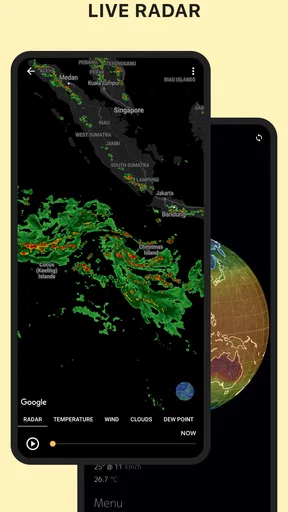
- Includes radar and satellite imagery.
- Customizable notifications for alerts.
- Supports multiple locations for tracking.
Limitations of Today Weather:Data by NOAA/NWS
- Limited free features without premium upgrade.
- Occasional delays in data refresh.
- Ads in free version can be distracting.
- Some advanced features are paid.
- Requires stable internet for updates.
Similar Picks in This Category
View All
Weather - By Xiaomi
Xiaomi Inc.4.1

Weather & Radar Forecast
WetterOnline4.8

Weather
OneLouder Apps4.6

AccuWeather: Weather Radar
AccuWeather3.6

The Weather Channel - Radar
The Weather Channel4.6

1Weather Forecasts & Radar
OneLouder Apps4.3
Frequently Asked Questions
What features does Today Weather offer?
Today Weather provides accurate weather forecasts sourced from NOAA/NWS and other reliable data providers. It features real-time weather updates, detailed forecasts, air quality index, UV index, and precipitation predictions. The app also includes a radar map and weather alerts to keep you informed about significant weather changes.
Is Today Weather user-friendly for beginners?
Yes, Today Weather is designed with a clean and intuitive user interface, making it easy for both beginners and experienced users. The app provides clear, concise weather information and allows for customization of the home screen to display your preferred weather details. Users can navigate through various features effortlessly.
How accurate is the weather data provided by Today Weather?
Today Weather uses data from trusted sources like NOAA/NWS, ensuring high accuracy. The app updates its information regularly to provide the latest weather conditions and forecasts. Users have reported reliable predictions, although, like all weather apps, occasional discrepancies can occur due to changing weather patterns.
Does Today Weather require a subscription for full access?
Today Weather offers both a free version and a premium subscription. The free version provides most features, but the premium subscription removes ads, offers additional widgets, and unlocks enhanced customization options. Users can choose based on their preferences and need for a more personalized experience.
Can Today Weather be personalized to suit my location and preferences?
Yes, Today Weather allows users to add multiple locations and customize how weather data is displayed. You can set your preferred units of measurement and select which weather details to show on the home screen. The app also supports dark mode, offering a personalized and comfortable viewing experience.
